


Media cleanup + image optimization
Clean Up Your Media Library and Speed Up Your Site
Make your WordPress site lighter with ImgSentry, the plugin that finds unused files, removes duplicate images and optimizes what is left. One scan shows you what to keep, compress or delete.
- Free to start
- Originals always backed up
How it works
Make Your Library Lighter and Your Website Faster
One plugin for scanning, cleaning, optimizing and managing every file you upload.
Your whole media library, understood in one scan
Is your media library full of old uploads? Do duplicate copies and oversized images keep slowing your pages down? ImgSentry reads your posts, pages and page builders, then shows exactly which files are used, which are not, and which are duplicates. Nothing is guesswork.
You do not need to understand compression settings. The Balanced mode keeps quality high and file sizes low, and every original is saved in a backup folder.
Know what is used
Used Files shows every image and the pages that depend on it, so nothing live is ever put at risk.
Find what is unused
Unused Files lists images, documents and media that no page uses, with size, dimensions and upload date.
Spot every duplicate
Exact copies, resized versions and lookalikes are grouped, with the original shown next to its copies.
5 tools
in one plugin
WebP + AVIF
next-gen formats
Trash Bin
before any delete
1-click
restore originals
The plugin
Optimize Your Images on WordPress in 1 Minute
ImgSentry is a WordPress media plugin that works right inside your admin.
- Scan your whole library in one click
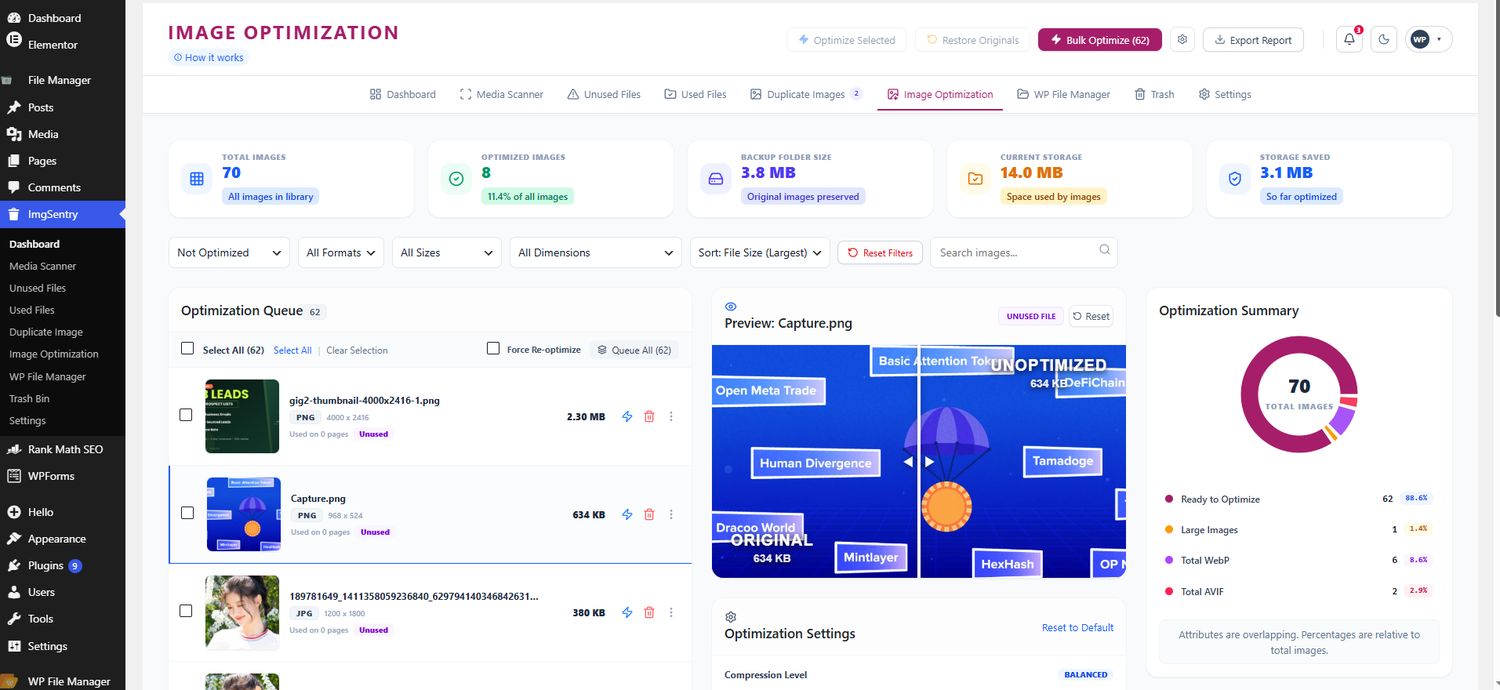
- Compress images and convert to WebP and AVIF
- Preview original and optimized side by side
- Review unused files and duplicate images
- Restore the original version when you need to
Why it matters
Discover What a Clean Library Can Do for Your Business
You have a problem, you press a button, and it is solved. That is what ImgSentry does for your media library.
Make your website faster
Images are often the heaviest files on a page. Compressing them gains you valuable seconds.
Improve SEO performance
Lighter images help your PageSpeed score and Core Web Vitals, which matter for visibility on Google.
Enhance user experience
Fast pages keep visitors browsing. Give them a smooth experience on every device.
Increase conversions
More engaged visitors mean more sign-ups and more sales.
Unoptimized VS ImgSentry
Drag the handle, pick a compression level, or try your own image.
Open the "How it works" guide.
Image Size
Compression Level
Best mix of quality and size.Total Saving
How much lighter the optimized image isGoogle PageSpeed Audits Addressed
- Efficiently encode images
- Serve images in next-gen formats
Images Already Optimized By Our Users
Make Your Images Lighter
And improve your website loading time with ease
Built for results
It Is Not Magic, It Is ImgSentry
ImgSentry is the easiest media cleaner for your website.
Keep an eye on your savings
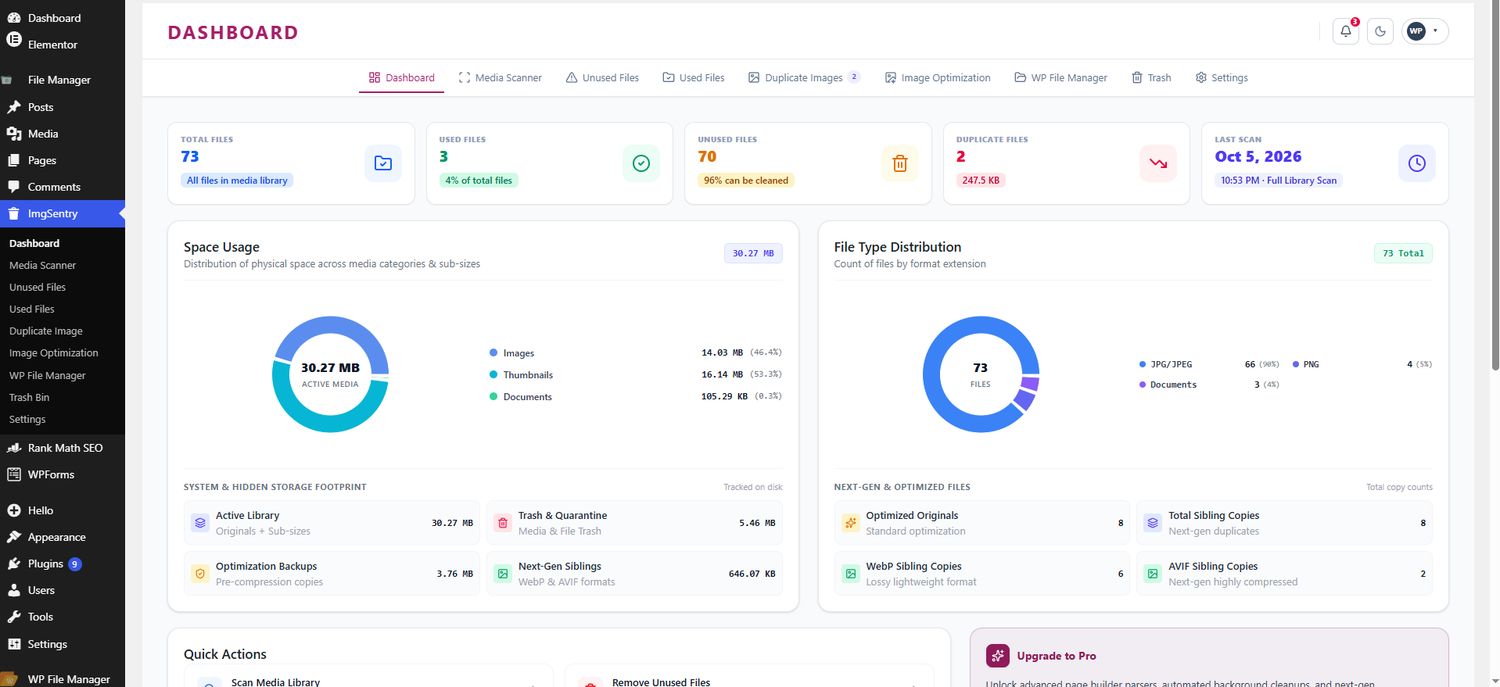
See storage used, space saved and files cleaned right in your dashboard. Track your progress after every scan.
Take advantage of WebP and AVIF
Convert your photos to next-gen formats that Google recommends for faster websites, with sibling copies kept organized.
Clean up with a safety net
Deleted files go to the Trash Bin first, and every optimized image keeps its original in a backup folder.
Product tour
See ImgSentry in Action
A short walkthrough of a scan, a bulk optimization and a safe clean-up.
Who uses it
Made for Sites That Publish a Lot
Wherever media piles up, ImgSentry keeps it under control.
Agencies
Hand over client sites that are clean, fast and easy to maintain.
Online stores
Product galleries create many image sizes. Keep what you need and drop the rest.
Blogs and news sites
Years of uploads add up. Clear out forgotten images and compress the archive.
FAQ
Questions, Answered
It reads your posts, pages and page builder content, then lists every file with the places it appears. Open Used Files to see what it found before you delete anything.
Yes. Removed files go to the Trash Bin first, and they stay there until you decide to delete them for good.
ImgSentry converts images to WebP and AVIF, and keeps the converted copies organized next to the originals.
Every optimized image keeps its original in a backup folder, so you can restore it in one click.
No. The Balanced mode keeps quality high and file sizes low, and you can preview the original and the optimized image side by side first.